EA SPORTS FC™ 26 Companion
- 3.5
- Rating
- 50.00M
- Installs
- Free
- Price

 Analysis by App-foxy
If you already spend time building an Ultimate Team in EA SPORTS FC 26, the companion app is best understood as a management tool rather than a second football game. I used it with that expectation, and it made the quieter parts of team building easier to handle away from the main game. You can check your club, make decisions about your squad, and keep your plans moving when sitting down for a full match is not practical. That focus is also its biggest limitation: anyone looking for complete football gameplay will need something else.
EA SPORTS FC™ 26 Companion comes from ELECTRONIC ARTS and sits in the sports game category. It is free to install, rated for Everyone, and has attracted over 50 million installs. Its average score is around 3.5 from roughly 659 thousand ratings, which tells me that the app is useful to a large audience but not universally smooth or satisfying. The current version is 26.4.0.10509, and it requires Android 10 or later. Optional purchases range from about 89 cents to nearly 150 dollars per item, so the free entry point should not be confused with a completely cost-free Ultimate Team experience.
What I looked for before recommending it
Before recommending a companion app, I look beyond the initial convenience and ask what it changes in an ordinary week: does it help me make a useful decision, or simply give me another reason to check in? I also consider whether its role stays distinct from the main game, because that boundary is what keeps a management tool from becoming a chore. With that in mind, the first question is whether you manage Ultimate Team regularly.
You May Also Like

 Pandora - Music & Podcasts
Pandora’s Music Is Easy to Start, but Harder to Recover
Pandora’s strength is its low-effort path from a seed to a station. Its weak spot is how much confidence it asks you to place in connection, setup, and quiet recovery.

 AccuWeather: Weather Radar
AccuWeather Review: A Quick, Clear Forecast for Everyday Decisions
For everyday plans, the best forecast is the one you can understand quickly. AccuWeather makes rain timing, radar, and local conditions easy to act on, with a few trade-offs.

 Hill Climb Racing
Why Hill Climb Racing Still Turns Crashes Into One More Run
A tiny car, a bumpy hill and one more upgrade: Hill Climb Racing keeps resurfacing because its simple chaos makes every near-miss feel personal.

 AliExpress - Shopping App
AliExpress Makes Global Shopping Feel Personal, but Shoppers Bear the Risk
AliExpress turns a global marketplace into a pocket-sized discovery engine. Its reach is useful, its shopping loop compelling, and its trade-offs easy to miss.

 Lords Mobile: Kingdom Wars
Lords Mobile Is a Kingdom-Building Routine, Not a Quick Match
A case-by-case verdict on the building, battles, device demands, and social commitments that make Lords Mobile rewarding for some players and exhausting for others.

 PDF Scanner app - TapScanner
TapScanner Makes Paperwork Easier to Capture, Check, and Share
TapScanner makes scanning with a phone feel less like a rescue operation and more like a dependable step in getting work done. Its capture tools are useful, though not flawless.
More From Our News Desk
View All News


The first question is whether you manage Ultimate Team regularly
The right decision starts with your playing habits. If Ultimate Team is the part of EA SPORTS FC 26 that keeps bringing you back, this app has a clear purpose. It gives you a way to deal with club management when your console or computer is unavailable, and that can turn small gaps in the day into useful preparation time. I found it most helpful when I already knew what I wanted to do and needed a quick way to review options rather than begin an entirely new session.
If you mainly play traditional matches, career-style modes, or casual football without caring about Ultimate Team administration, the companion app will feel narrow. It does not replace the main game, and downloading it will not add a portable version of the match experience. That distinction matters because the short store description is extremely brief; the practical value comes from the management side, not from controlling players on a pitch.
Speed matters more than visual polish
For this kind of app, I judge it by how quickly I can complete a small task. Can I open it, inspect my club, make a considered change, and leave without feeling that I should have turned on the full game? That is the useful standard. A companion app does not need to entertain me for an hour. It needs to reduce friction around decisions that are already part of my Ultimate Team routine.
That also means the experience can feel less rewarding than playing. Browsing a squad, comparing possibilities, and handling club tasks is more administrative than competitive. I would not install it expecting the same excitement as a match. I would install it because I want to use short periods of time more intelligently and arrive at my next full session with fewer unfinished decisions.
Think about your preferred device and ecosystem
The minimum operating system requirement is Android 10, so users with older phones should check compatibility before planning around it. On a supported device, the more important question is whether you prefer making Ultimate Team choices on a phone. Some people enjoy the larger view and direct controls of the main game; others like having a separate screen for planning. I fall into the second group when I am sorting through options, but I still prefer the main game for anything that requires concentration or a broader view.
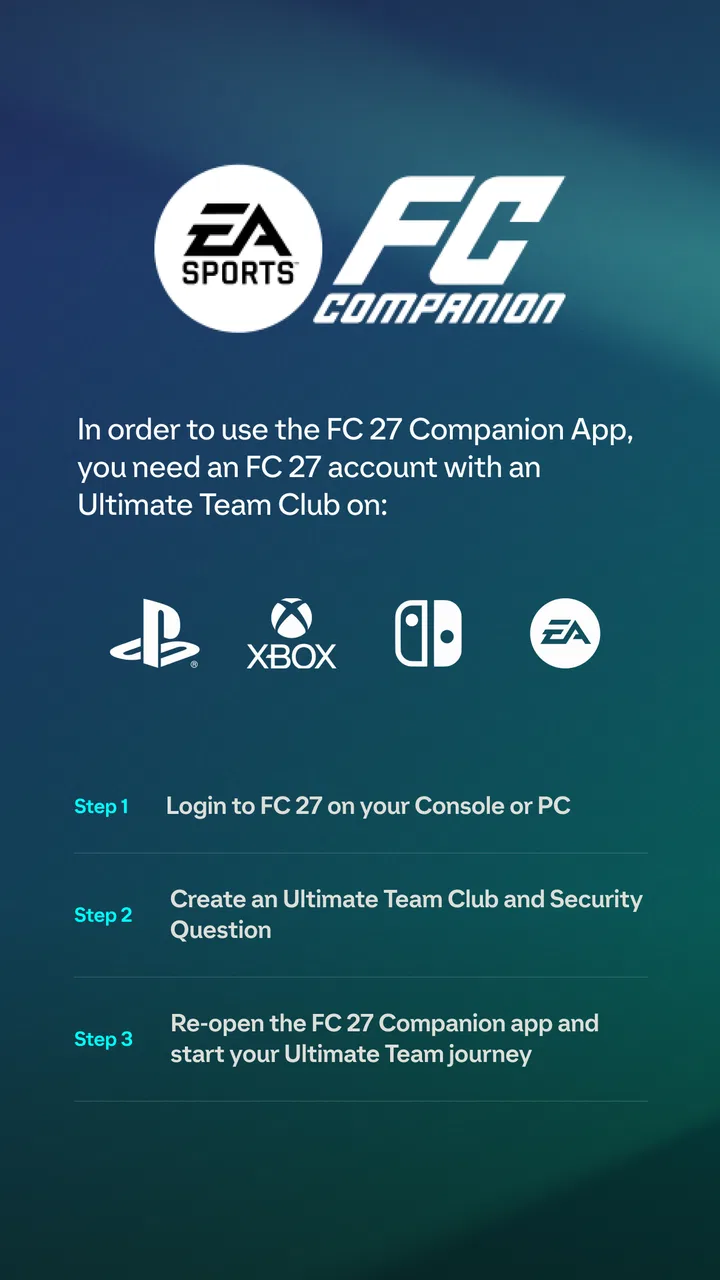
There is also a practical account-management consideration. A companion application is only worthwhile when it connects to the same Ultimate Team setup you actually use. Before investing time in reorganizing your routine, I would sign in, confirm that the expected club is available, and make a small, low-risk change first. That simple test avoids the frustration of discovering later that you were working in the wrong place or had not completed the connection process properly.
My decision rule for the purchase side
The app is free, but its surrounding Ultimate Team economy can include optional purchases. I would treat those purchases as entirely separate from the value of the companion tool. The app can be useful without becoming a reason to spend, but its convenience may make it easier to check the club repeatedly and act impulsively. My advice is to decide your spending limit before using it, not while looking at an attractive opportunity.
The broad purchase range, from less than a dollar to nearly 150 dollars for an individual item, makes restraint especially important. I would use the companion app for organization, planning, and timing, then judge every purchase as if the app were not involved. That separation helps preserve the strongest reason to use it: saving attention and making better decisions, rather than encouraging constant activity.
Where it is genuinely stronger than the usual alternatives
The main advantage is continuity. A normal football game gives me the complete match environment, but it is not always convenient to start a full session just to handle club administration. A general browser approach may be possible in some situations, yet it is less focused than a dedicated companion experience. This app puts the Ultimate Team relationship at the center, so I can treat it as a small control room between matches.
I also like the separation between planning and playing. When I am on the pitch, I want to concentrate on the match. When I am reviewing my squad or thinking about the next change, a phone interface can create a calmer setting. That separation is a non-obvious benefit: it reduces the temptation to make rushed adjustments immediately before a match simply because I am already inside the main game.
Another strength is its usefulness for short sessions. I might have a few minutes before leaving home, during a lunch break, or while waiting for someone. Those moments are too short for a meaningful match but long enough to review a squad decision. The app turns that otherwise wasted time into preparation, provided I resist opening it without a specific purpose.
A workflow that made the app more useful for me
I got better results by treating each visit as a small task instead of wandering through the club. Before opening the app, I chose one objective: review the squad, check a possible change, or prepare for the next time I would play. I then avoided making several unrelated decisions at once. This kept the phone session quick and made it easier to remember why I had changed something.
A second useful habit was to pause before confirming anything that affected my main setup. Phone screens encourage fast tapping, especially when I am checking the app in a hurry. I reviewed the selected item, the destination, and the effect on my planned squad before committing. That extra moment is more valuable than speed when a mistake could disrupt the team I rely on in the main game.
I also found it sensible to use the companion app for planning but the full game for final judgement. A phone can help me organize an idea, yet the actual match environment may change how that idea feels. A player or squad adjustment that looks sensible in a menu still has to suit my style of play. The companion app is excellent for preparing a decision; it should not make the decision for me.
Why the average rating feels understandable
The rating of about 3.5 is believable because companion apps are judged by reliability and convenience more harshly than ordinary games. When the app works as expected, its focused purpose is clear. When access, loading, or a club-management task becomes inconvenient, the entire reason for opening it disappears. There is little entertainment value to compensate for a frustrating administrative session.
That does not make the app poor, but it does make expectations important. I would not describe it as essential for every EA SPORTS FC 26 player. It is a specialist companion for a specialist mode. The people who benefit most are those who already want to manage Ultimate Team frequently and appreciate having another way to stay involved between full matches.
When another type of option may fit better
If you want football matches on a phone, a dedicated mobile football game is the more appropriate category. This companion app is not a substitute for that. If you want a complete squad-building experience with the largest possible screen and the fewest interruptions, the main EA SPORTS FC 26 game is also the better place to work. The companion app wins only when portability and quick management are more important than full presentation.
It may also be the wrong choice for someone who dislikes live-service-style routines or feels pressured by frequent checking. A separate app can make the club feel available all the time, which is convenient for one player and tiring for another. If your goal is to play occasionally without maintaining a detailed Ultimate Team routine, installing another management surface may add noise rather than value.
For parents or younger players, the Everyone rating makes the app broadly accessible, but the purchase options still deserve attention. I would not rely on the age label alone when a device is shared. A sensible approach is to discuss spending rules and use the app primarily for free management activities. The rating describes suitability, not a guarantee that every part of the surrounding experience will feel equally appropriate for every household.
The hidden cost is changing your routine
Switching from using only the main game to using a companion app is not difficult technically, but it changes how often Ultimate Team enters your day. You may begin checking the club in moments that previously had nothing to do with football. That can be positive if it replaces a longer, less focused session, but it can also become a habit of checking without a clear decision to make.
I recommend a simple boundary: open the app when you have a defined task, and close it when that task is complete. This keeps the tool in its proper role. The app should help you prepare for playing, not make you feel that you must monitor the club constantly. That is the main trade-off compared with using only the console or computer: more convenience in exchange for more opportunities to be distracted.
There is a learning cost, too. The first few visits may feel slower because you are learning where the information you need is located and which actions deserve extra checking. I would begin with harmless browsing and one straightforward management task. Once that feels comfortable, the app becomes faster and more useful. Trying to reorganize everything immediately is the least comfortable way to evaluate it.
Who should install it now
I would recommend it to an active Ultimate Team player who owns a supported Android device, wants to manage the club away from the main game, and can keep optional spending under control. It is particularly well suited to people who enjoy planning, checking their squad between matches, and using short breaks productively. For that audience, the convenience is real rather than theoretical.
I would skip it if your priority is playable football on a phone, if you rarely touch Ultimate Team, or if you know that frequent notifications and purchase opportunities will make the experience less enjoyable. In those cases, the main game or a different mobile football title is a clearer fit. Installing a companion tool simply because it is free does not make sense when its central mode is not part of your routine.
My final recommendation after using it
EA SPORTS FC™ 26 Companion earns a qualified recommendation. I see it as a practical extension for Ultimate Team rather than a standalone game, and it does its best work when I use it briefly, deliberately, and alongside the full EA SPORTS FC 26 experience. It is not where I would go for matches, deep immersion, or a complete replacement for the main game.
Its free price makes trying it reasonable, while the purchase range means I would approach the app with a clear budget and a deliberate routine. The large install base shows that many players want this kind of access, but the middling average rating is a useful reminder that convenience depends heavily on personal habits and expectations. For me, the deciding question is simple: do you want to manage Ultimate Team when you are away from the pitch? If the answer is yes, this is a focused and worthwhile companion. If not, it is probably an extra screen you will rarely need.
FAQs for EA SPORTS FC™ 26 Companion
01What is EA SPORTS FC™ 26 Companion used for?
The EA SPORTS FC™ 26 Companion app is designed to enhance your experience with the full EA SPORTS FC™ 26 game. It allows you to manage your Ultimate Team on the go, offering the ability to buy and sell players, complete Squad Building Challenges (SBCs), and keep track of your team’s progress. This app is a must-have for anyone deeply invested in the game.
02Can I use EA SPORTS FC™ 26 Companion without owning the main game?
No, the EA SPORTS FC™ 26 Companion app is meant to complement the main EA SPORTS FC™ 26 game. You need to have an active account and own the game on a compatible platform to access the app’s features. It’s primarily used for managing your Ultimate Team and requires a connection to your account.
03Is the EA SPORTS FC™ 26 Companion app free to download and use?
Yes, the EA SPORTS FC™ 26 Companion app is free to download on both Android and iOS devices. While the app itself doesn’t require payment, some features and content, particularly within the Ultimate Team mode, may involve in-game purchases. These are optional and can enhance your gaming experience.
04What devices are compatible with EA SPORTS FC™ 26 Companion?
The app is compatible with most modern Android and iOS devices. It requires a stable internet connection to function properly, as it needs to sync with EA servers. Be sure to check the app store for specific OS version requirements to ensure your device supports the app efficiently.
05How secure is my account information within the EA SPORTS FC™ 26 Companion app?
The app prioritizes security, using encryption and secure login processes to protect your account information. Users are encouraged to enable two-factor authentication (2FA) for an additional layer of security. Always ensure you're downloading the app from official app stores to avoid potential security risks.
Pros
- User-friendly interface for easy navigation.
- Real-time updates on team management.
- Seamless integration with EA SPORTS FC 26.
- Customizable team and player settings.
- Regular updates enhance app functionality.
Cons
- Requires constant internet connection.
- In-app purchases can add up quickly.
- Occasional login issues reported.
- Limited features without console game.
- App can be slow on older devices.

EA SPORTS FC™ 26 Companion
Gallery